
Mastering the Monport 60W MOPA Fiber Laser: Unboxing, Setup, and Expert Engraving Secrets
Mastering the Monport 60W MOPA Fiber Laser: Unboxing, Setup, and Expert Engraving Secrets
Welcome back, laser enthusiasts! Today, we're diving deep into a machine that's unlike any other I've had in the shop: the Monport 60W MOPA fiber laser. This powerhouse was generously sent over by Monport for an honest review, and I'm thrilled to share my insights, tests, and real-world experiences with you. If you're looking to elevate your metal engraving, color marking, or high-volume production, this article promises to unveil the secrets of this impressive machine.
Table of Contents
Unboxing & First Impressions: What's in the Box?
Opening up the Monport 60W MOPA fiber laser box was a surprisingly straightforward experience. Unlike bulkier CO2 machines, this unit is a self-contained marvel. Inside, you'll find the laser machine itself, a detailed user manual, and the all-important fiber laser test certificate. They even include basic laser safety glasses, though I always recommend investing in certified, dedicated eyewear for your specific wavelength.
Beyond the essentials, Monport includes a set of Allen keys, mounting bolts, metal framing grids (more on these later!), the power supply, USB cables for connectivity, a USB dongle (likely for software), and even a couple of aluminum business cards for immediate testing. A 40cm ruler is provided for precise focal length adjustment, though the machine also boasts automatic focusing. It's a comprehensive package designed to get you started quickly.
Setting Up Your Fiber Laser: Simplicity Defined
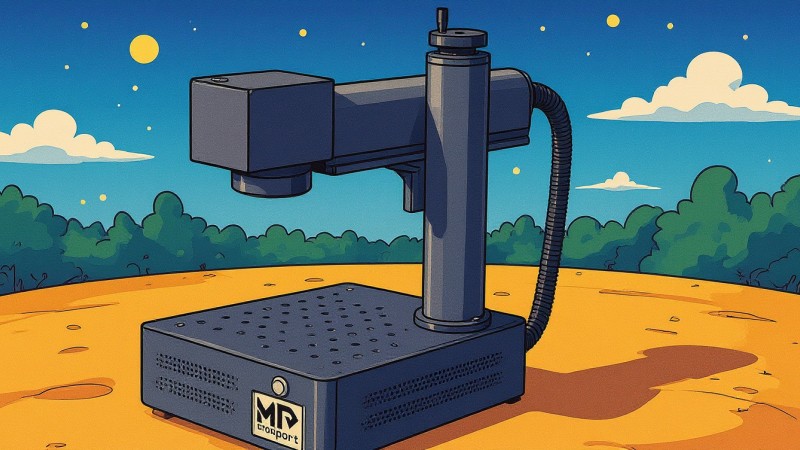
Setting up the Monport 60W MOPA fiber laser is remarkably simple. The machine arrived with the laser head folded down, secured by thumb screws. All it takes is lifting the head into position, aligning the screws, and hand-tightening them. Within minutes, the unit is stable and ready. This integrated design means no complex gantry assemblies or separate CO2 tubes to worry about – a stark contrast to other laser types.
The lens attachment is equally user-friendly. The standard 254mm lens screws directly onto the head, much like a DSLR camera lens. It even comes with a protective cover. Once the lens is on and the machine is powered, the primary setup is complete. The next step is connecting it to your computer via the provided USB cable, installing the software, and you're ready to start exploring this fiber laser's capabilities.
Practical Accessories & Workflow Optimizations
One feature that immediately caught my eye was the inclusion of metal framing grids. These aren't just random metal pieces; they're incredibly practical for repeat jobs. Imagine needing to engrave 100 business cards: you can bolt these grids onto the laser bed, creating a precise jig. This ensures every card is placed in the exact same spot, guaranteeing consistent engraving alignment across your entire batch.
These grids also feature pre-cut slots, perfect for holding multiple pencils or small cylindrical items. You can load 10-15 items at once, maximizing your throughput. This attention to workflow efficiency is a real game-changer for high-volume production. Additionally, like a camera, you can swap out the standard 254mm lens for different focal lengths, expanding your fiber laser's versatility for various material thicknesses and detail requirements.
Understanding the MOPA Advantage: Beyond Basic Engraving
The "MOPA" in Monport 60W MOPA fiber laser stands for Master Oscillator Power Amplifier, and it's a significant upgrade from standard fiber lasers. The MOPA system allows for adjustable pulse durations, which means you gain incredible control over the laser's interaction with materials. This MOPA fiber laser opens up a world of control that traditional fiber lasers often can't achieve.
With adjustable pulse durations, you can achieve vibrant color markings on stainless steel – a truly eye-catching effect that many clients seek. It also allows for high-contrast engravings on plastics and other delicate materials, giving you more versatility. The powerful 60W output ensures deep, detailed, and lightning-fast engravings, making the Monport fiber laser a workhorse for both intricate artistic projects and demanding industrial applications where speed and precision are paramount.
Mastering Metal: Deep Engravings & Vibrant Colors
Metal is where the 60W MOPA fiber laser truly shines. From deep 3D engravings on brass coins to intricate designs on metal business cards, this machine handles it with ease. The precision and power allow for incredible detail, capturing fine lines and subtle textures that elevate your work from good to exceptional. The speed at which this fiber laser can process metal is genuinely impressive, turning hours of work on other machines into minutes.
One of the most exciting capabilities is the ability to achieve multiple colors on stainless steel. By manipulating the focus, pulse duration, and power settings, you can create a spectrum of hues, transforming a simple piece of steel into a vibrant, personalized artwork. It’s a steep learning curve, requiring careful calibration, but the results are incredibly rewarding, offering a unique selling point and unlocking the full potential of your fiber laser.
Expanding Horizons: Slate & Beyond with Your Fiber Laser
While fiber lasers are primarily known for metal, I've had great success experimenting with other materials like slate. Engraving images onto slate with the Monport 60W MOPA fiber laser yielded surprisingly clean and detailed results. I tested different paint finishes – gloss black and matte black – finding that matte black paint generally produces a much better contrast and aesthetic on slate surfaces.
Beyond standard image engraving, this fiber laser can also create stunning 3D depth maps on slate. The ability to vary the engraving depth allows for textured, tactile designs, giving an illusion of three dimensions. Whether it's a finely detailed castle or a rugged dog portrait, the precision of the laser ensures that highlights, shadows, and intricate features come through beautifully, even on a challenging material like slate.
The Art of Depth: 3D Engravings on Brass Coins
One of the most impressive feats of the 60W MOPA fiber laser is its capability for 3D depth engravings, especially on materials like brass coins. This isn't just surface marking; it's about removing material with incredible precision to create varying depths, resulting in a true three-dimensional effect. I've spent considerable time creating custom depth maps, and the results have been stunningly detailed.
Engraving a dragon with intricate scales and wings onto a brass coin, for example, showcased the machine's ability to render fine details even at considerable depth. The contrast between the raised and recessed areas brings the design to life. While it requires a deeper understanding of settings and design, mastering 3D depth engraving offers a premium service that sets your work apart, turning simple metal blanks into high-value keepsakes.
Navigating the Learning Curve: Tips for New Users
Moving from CO2 or diode lasers to a 60W MOPA fiber laser is definitely a steep learning curve. The software (like LightBurn) offers a vast array of settings, and tweaking parameters such as power, speed, frequency, and especially pulse duration, can dramatically alter your results. My initial attempts on metal, for instance, were far from perfect, often resulting in faint or uneven engravings.
However, persistence pays off. Through diligent testing and careful adjustments, I quickly began achieving the crisp, clean details you've seen in my examples – from intricate facial features on engravings to the fine whiskers on an animal's fur. My practical tip for new users: don't be afraid to experiment with small test pieces. Document your settings for each material and desired effect. This iterative process is key to unlocking the full potential of your MOPA fiber laser, and mastering a fiber laser takes patience.
Frequently Asked Questions
What materials can a 60W MOPA fiber laser engrave?
A 60W MOPA fiber laser excels at engraving metals like stainless steel, brass, aluminum, gold, and silver. It can also mark various plastics, some ceramics, and even create detailed engravings on materials like slate.
Can a Monport 60W MOPA fiber laser create colors on metal?
Yes, one of the significant advantages of the Monport 60W MOPA fiber laser is its ability to produce vibrant color markings on stainless steel by precisely controlling pulse duration and other parameters.
Is a 60W MOPA fiber laser suitable for industrial use?
Absolutely. The powerful 60W output and high-speed engraving capabilities make the Monport 60W MOPA fiber laser ideal for industrial applications, high-volume production, and deep, detailed marking.
How difficult is it to learn to use a fiber laser compared to a CO2 laser?
While basic setup is easy, mastering a 60W MOPA fiber laser for advanced techniques like color marking and 3D engraving has a steeper learning curve than CO2 or diode lasers due to more nuanced settings.
Conclusion
My journey with the Monport 60W MOPA fiber laser has been an exciting one, full of discovery and incredible results. From the straightforward setup to its advanced capabilities for color marking stainless steel and executing detailed 3D engravings on brass, this machine is a genuine game-changer. It represents a significant step up for anyone serious about precision, speed, and material versatility in their laser work.
If you're considering expanding your laser capabilities or diving into high-quality metal and material engraving, the Monport 60W MOPA fiber laser is a strong contender. I'm continually impressed by its performance and potential. For intricate details, speed, and material flexibility, the 60W MOPA fiber laser stands out. Don't forget to check out Monport's website for more details, and keep an eye out for future content where I'll delve deeper into specific projects and advanced techniques with this amazing machine. Happy lasering!
