
ComMarker Omni X UV Laser Review: The Ultimate Versatile Engraving Machine?
ComMarker Omni X UV Laser Review: The Ultimate Versatile Engraving Machine?
Ever wished for a laser that could mark *anything*? From transparent glass to highly reflective metals, plastics, wood, and even delicate organic materials? For years, hobbyists and professionals alike have juggled multiple laser types – diode, CO2, fiber – each with its own strengths and limitations. But what if one machine could bridge those gaps?
Today, we're diving deep into the world of UV lasers with the ComMarker Omni X, a new flagship model that promises unparalleled versatility. Having spent countless hours with various laser systems, I can tell you that a UV laser machine brings a unique "cold marking" capability to the table, opening up a realm of possibilities that other lasers simply can't touch. Join me as we explore its capabilities, from lightning-fast speeds to ultra-fine resolution and its ability to handle materials previously considered impossible for a single laser type.
Table of Contents
Unlocking the Magic of UV Lasers
The ComMarker Omni X stands out immediately because it's a UV laser. Unlike CO2, diode, or even IR fiber lasers, a UV laser operates on a principle known as "cold marking." This means it uses a much shorter wavelength (typically 355nm) which is absorbed by nearly all materials, causing photochemical ablation rather than thermal burning. This drastically reduces heat-affected zones, preventing material deformation, melting, or discoloration, especially on delicate substrates.
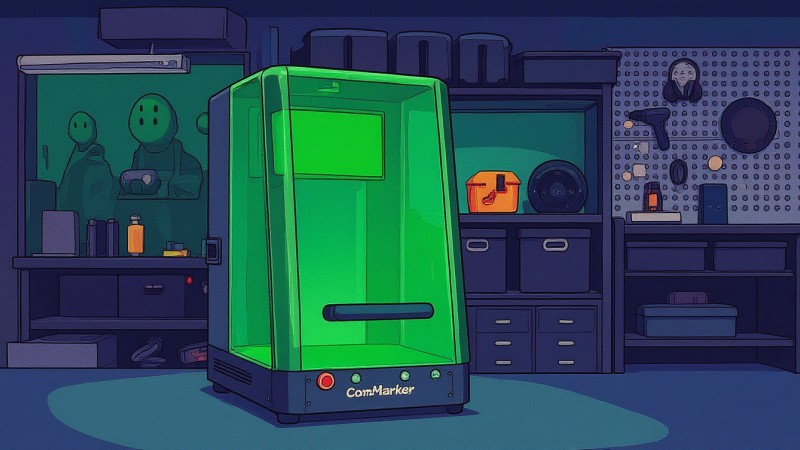
This "cold marking" is the secret sauce that allows the Omni X UV laser to engrave on materials like transparent acrylic, glass, and highly reflective metals where other lasers struggle or fail entirely. Its ability to mark mirror-like surfaces and produce high-contrast, permanent marks on sensitive plastics without damaging them makes it an incredibly versatile tool for diverse applications. The small footprint and integrated safety enclosure further enhance its appeal for a workshop setting.
Practical tip: If you're struggling with ghosting or warping on sensitive plastics with other lasers, a UV laser's cold marking process might be your perfect solution.
Speed and Precision Redefined: The Omni X Advantage
One of the most striking features of the Omni X is its speed, thanks to the integrated galvanometer system. Instead of a gantry moving a laser head back and forth, two mirrors rapidly steer the UV laser beam, achieving speeds up to an astonishing 10,000 mm/s. This is orders of magnitude faster than typical diode or CO2 lasers, which usually max out around a few hundred mm/s, dramatically cutting down job times.
Beyond speed, the precision of the Omni X UV laser is in a league of its own. It boasts an incredibly small laser spot size of approximately 0.0019 mm. To put that into perspective, it's roughly 50 to 100 times smaller than most CO2 laser spots and significantly finer than even high-end fiber lasers. This minute spot allows for ultra-high-resolution engraving, producing exceptionally sharp details, fine text, and intricate photo engravings with unparalleled clarity on virtually any material.
Practical tip: When migrating from gantry-based systems to a galvo UV laser, leverage the speed for bulk production of intricate designs, especially on metals and plastics.
Getting Started: Setup, Software, and Initial Impressions
Unboxing the Omni X reveals a well-protected, solidly built machine. Assembly is straightforward, consisting of a few large components like the base, arm, laser head, and the enclosure. Cables are clearly labeled, making the process intuitive even for a first-timer. The unit’s hefty 120+ lb weight speaks to its robust construction, contributing to its stability during high-speed operations.
The ComMarker team has made a significant leap forward with their new software interface, moving away from the dated EasyCad to a more modern, user-friendly platform reminiscent of X-Tool software. While still in beta during my testing, with a few missing translations, the core functionality is solid. It features lens profiles for the included 150mm and 70mm lenses, device settings, and material libraries, making it easier to jump into your first engraving projects with the UV laser.
Practical tip: Always double-check your lens profile in the software matches the physical lens installed on your UV laser machine to ensure accurate working area and focus.
Mastering UV Laser Parameters: Frequency and Pulse Width
Working with a UV laser, much like Mopa fiber lasers, introduces parameters beyond just power and speed: frequency and pulse width. Understanding these is key to unlocking optimal results. Higher frequency means more pulses in the same time, delivering lower energy per pulse, which is ideal for light surface marking and fine details. Think of it like a rapid, gentle tapping rather than a heavy punch.
Pulse width dictates how long each individual laser pulse lasts. A shorter pulse width concentrates energy, leading to cleaner, crisper marks with minimal heat spread. Conversely, a longer pulse width transfers more heat, potentially creating deeper engravings but at the risk of blurred edges. For UV lasers, which are optimized for cold marking, fine control primarily comes from adjusting frequency, power, and scanning speed to achieve precision without thermal damage.
Practical tip: For delicate materials or high-detail images with your UV laser, prioritize higher frequency and shorter pulse widths to minimize thermal impact and achieve crisp results.
Real-World Engraving: Testing on Wood and Metals
My first test with the Omni X UV laser was on plywood. Using preset parameters and autofocus, the machine delivered a stunning, highly detailed photo engraving in just over four minutes. The result was crisp, clean, and exceeded my expectations for a UV laser's performance on wood, showcasing its ability to produce intricate designs with impressive clarity.
Next, I moved to metals: 6061 raw aluminum and mild steel. For aluminum, the QR codes I created engraved perfectly, scanning without issue, and showing clear, precise lines. On mild steel, the difference was striking – the UV laser produced a deep, dark black mark with exceptional contrast, even on tiny 1mm wide text, demonstrating its capability to create very durable and legible marks on various metal surfaces with consistent parameters.
Practical tip: On metals, always try a small test patch. While general settings might work, fine-tuning for specific alloys can yield even better contrast and durability with your UV laser.
Transparent, Plastic, and Organic: Expanding Material Horizons
Clear acrylic is where the UV laser truly shines, marking it directly and cleanly without the need for coatings, unlike most diode or fiber lasers. The engraving showed different shades of gray, visible from both sides, perfectly matching the design in the software. This opens up immense possibilities for awards, displays, and custom clear products with fine detail.
On 3D printed PLA parts, the cold marking process of the Omni X was a revelation. It marked text quickly and cleanly without any melting, warping, or surface texture alteration – a common headache with other lasers. Even on delicate dried leaves, the UV laser produced a unique semi-transparent engraved effect, highlighting its versatility across a broad spectrum of materials, including challenging organics.
Practical tip: When marking 3D printed parts with a UV laser, you can achieve very precise, non-destructive surface marking without distorting the underlying structure, preserving intricate details.
Beyond 2D: 3D Engraving and Rotary Attachments
The Omni X isn't limited to flat surfaces or 2D designs. Swapping to the included 70mm lens and using the 3D glass mode, I experimented with 3D engraving inside an acrylic block. The laser meticulously works layer by layer, creating stunning, highly detailed internal structures. Though slower than 2D, the ability to engrave 3D models within transparent materials is a truly unique selling point, elevating custom products to an artistic level.
For cylindrical objects, the machine includes both roller and chuck rotary attachments. I successfully engraved a logo onto a vinyl-coated stainless steel mug using the roller, achieving excellent results after some parameter fine-tuning. Even on a tricky object like a small ring with the chuck, the UV laser maintained surprising alignment accuracy, proving its capability for personalized jewelry and small object marking.
Practical tip: When performing 3D engravings inside acrylic with your UV laser, ensure your autofocus is set precisely to the base of the material to avoid cutting off the design's top layers due to Z-offset.
ComMarker Omni X Pros: What Shines Bright
The ComMarker Omni X is a robust, well-engineered machine. Its significant weight contributes to exceptional stability, crucial for high-speed engraving. Assembly is refreshingly simple, with clearly labeled parts that connect easily, getting you up and running quickly with your new UV laser.
The autofocus system, leveraging LiDAR technology, is incredibly accurate, delivering precise focal lengths down to claimed 0.001 mm. This precision, combined with the galvo system's speed (up to 10,000 mm/s) and the tiny 0.0019 mm spot size, results in stunningly sharp, highly detailed engravings on virtually any material. The UV laser truly excels in cold marking, allowing perfect results on plastics, 3D prints, transparent objects, and even internal 3D engravings.
Practical tip: Maximize the Omni X's versatility by experimenting with both the 150mm lens for larger areas and the 70mm lens for higher power density and intricate 3D or deep engravings.
ComMarker Omni X Cons: Where It Can Improve
While impressive, the Omni X does have areas for improvement. The enclosure fans are quite loud, constantly running at full blast, reaching 70dB. This noise level is often too high for typical offices or home workshops. While ComMarker plans a firmware update to control fan speed based on temperature, a PWM-controlled system that ramps up only when needed would be a more ideal solution for comfort.
The LED lighting inside the enclosure is unfortunately ineffective; the large laser head obstructs most of the illumination. Relocating the light source to the sides would significantly improve visibility during operation. Furthermore, seeing the UV laser's preview frame on certain materials can be challenging, making alignment a guessing game without the yellow paddle tool, which itself struggles with small or curved objects. Smoke management also needs refinement; despite circulation fans, wood engraving still produces smoke that can escape into the room without a dedicated, robust purifier.
Practical tip: For materials where the UV laser preview is hard to see, try temporarily placing a piece of paper over the target area to visualize the frame before starting the engraving, especially on small or valuable items.
Frequently Asked Questions
Q: What materials can the ComMarker Omni X UV laser engrave?
A: The Omni X UV laser is exceptionally versatile, capable of marking almost any material, including metals (aluminum, steel, copper), plastics (PLA, ABS, vinyl), wood, leather, glass, crystal, transparent acrylic, ceramics, and various organic materials.
Q: How does a UV laser differ from other laser types like CO2 or fiber?
A: A UV laser uses a shorter wavelength for "cold marking," meaning it causes photochemical ablation with minimal heat. This prevents material deformation on sensitive items and allows it to mark transparent or highly reflective surfaces that CO2 or fiber lasers cannot effectively engrave.
Q: Can the Omni X perform 3D engraving?
A: Yes, the ComMarker Omni X UV laser can perform stunning 3D engravings, particularly within transparent materials like acrylic or crystal blocks, creating intricate designs by working layer by layer.
Q: Is the ComMarker Omni X suitable for beginners?
A: While the Omni X UV laser offers advanced capabilities, its user-friendly software and accurate autofocus system make it accessible. However, understanding UV laser parameters like frequency and pulse width will help beginners get the best results.
Conclusion
The ComMarker Omni X UV laser represents a significant leap forward in desktop laser engraving, truly earning its place as a versatile powerhouse. Its "cold marking" capabilities open doors to previously challenging materials like transparent acrylic, delicate plastics, and reflective metals, making it an invaluable asset for any engraving business looking to diversify its offerings. The speed and precision offered by its galvanometer system and ultra-fine spot size are simply unmatched by traditional gantry-based lasers.
While there are a few minor design improvements needed, particularly regarding fan noise, lighting, and exhaust management on this beta unit, these are largely addressable. The core performance of the UV laser is outstanding, delivering exceptional quality on a vast array of materials. For anyone serious about expanding their creative and commercial possibilities beyond basic engraving, the Omni X UV laser offers a compelling proposition for higher-margin projects and truly unique product customization. It's a solid, functional machine that promises to evolve even further with software updates.
